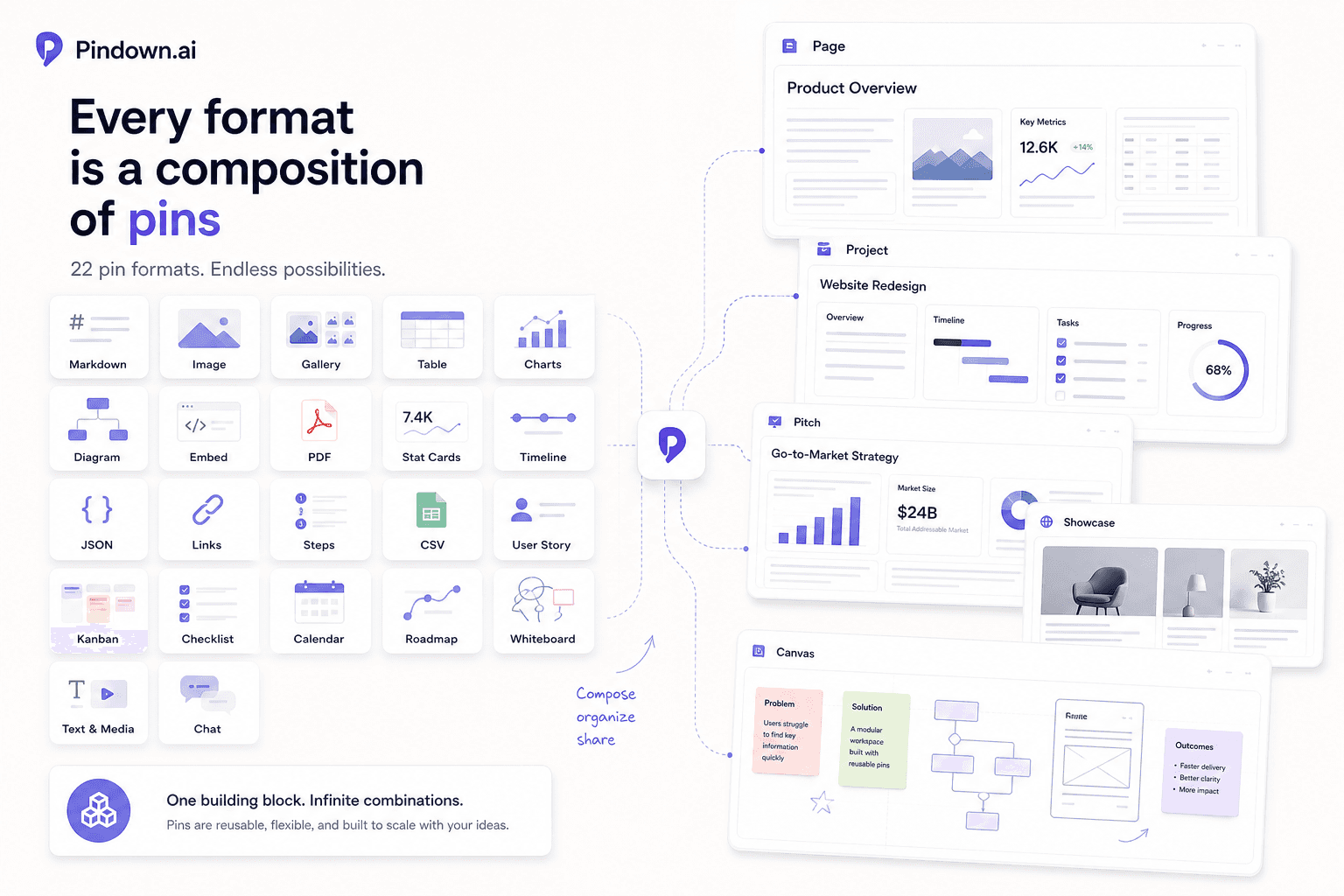
Pindown pin formats: the building blocks
A quick overview of the pin formats in Pindown, when to use each one, and why every larger format is built as a composition of pins.
Pins are the smallest useful units in Pindown. Every larger format—Pages, Pinboards, Showcases, Pitch, Projects, Canvases, and Timelines—is a composition of pins.
That means you do not have to think in one giant document. You can think in reusable blocks: one chart, one brief, one table, one checklist, one decision, one timeline, or one embedded source.
Why pin formats matter
Pin formats help you choose the right shape for the information. A table should behave like a table. A chart should stay visual. A decision should be easy to find again. A checklist should remain actionable.
When each piece has the right format, the whole workspace becomes easier to scan, update, reuse, and share.
Common pin formats
- Markdown — use it for briefs, notes, summaries, explanations, and narrative context.
- Image — use it for screenshots, visuals, references, diagrams, and assets.
- Gallery — use it when several images belong together.
- Table — use it for comparisons, structured lists, research grids, and records.
- Charts — use them for trends, distributions, metrics, and visual data stories.
- Stat Cards — use them for KPIs, headline metrics, and quick status numbers.
- Timeline — use it for milestones, events, sequences, and history.
- Checklist — use it for tasks, reviews, launch steps, and follow-ups.
- Kanban Board — use it for work stages, pipelines, and task flow.
- Roadmap — use it for planned work over time.
- Calendar — use it for dated work, events, schedules, and planning.
- Mermaid Diagram — use it for flows, system diagrams, architecture, and process maps.
- JSON Viewer — use it for structured data, API responses, and configuration.
- JSON List — use it when JSON data should read more like a list.
- CSV Viewer — use it for spreadsheet-like imported data.
- Links — use it for curated resources, references, and source collections.
- Embed — use it for external media, websites, or embedded content.
- PDF Viewer — use it for documents you want to keep visible in context.
- Steps — use it for procedures, guides, and ordered instructions.
- User Story — use it for product requirements and feature planning.
- Whiteboard — use it for freeform visual thinking.
- Text & Media — use it when written context and visual material belong together.
- File Upload — use it when the source file itself needs to stay attached.
- Intro — use it for opening context, section starts, or lightweight framing.
- Chat — use it when a conversation itself becomes useful workspace context.
How to choose
Start with the job of the information:
- If it explains, use Markdown.
- If it compares, use a Table.
- If it measures, use Charts or Stat Cards.
- If it orders time, use a Timeline, Roadmap, or Calendar.
- If it tracks work, use a Checklist or Kanban Board.
- If it references outside material, use Links, Embed, PDF Viewer, or File Upload.
- If it maps a process, use Mermaid Diagram, Steps, or Whiteboard.
From pins to formats
Once you have the right pins, you can compose them into larger formats:
- a Page for compiled information
- a Pinboard for grouped review, comparison, and monitoring
- a Showcase for a quick slide-style overview
- a Pitch for in-depth narrative sharing with tabs
- a Project for a team workspace
- a Canvas for visual organization
- a Timeline for ordered story or planning
The important habit is simple: create the right pin for the information, then compose those pins into the format that helps people understand and act.