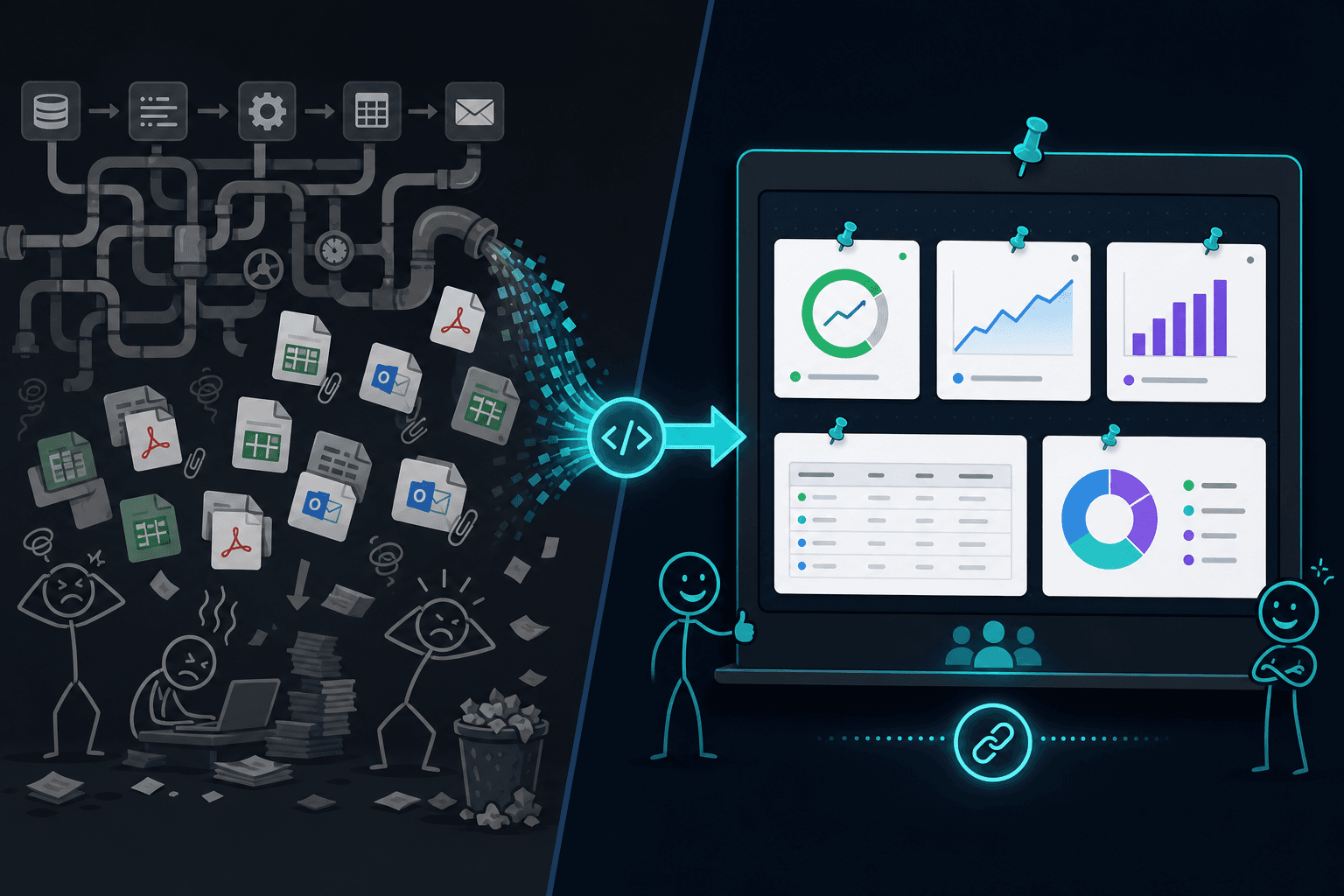
Stop sending pipeline output as PDFs and Excel files
Your ETL already ran. Emailing Q4_Actuals_FINAL_v3.xlsx is a choice—not a requirement. POST pipeline results to typed pins and give operators a live link instead of another attachment graveyard.
Short answer: Your pipeline should end in pins, not inboxes. Instead of generating report.pdf or export.xlsx and emailing them, POST structured rows and KPIs to POST https://api.pindown.ai/v1/pins (or PATCH an existing pin). Stakeholders open one link—stat cards, tables, and charts that update on the next run, beside the narrative and checklists they already use.
- Kill version hell: no
Dashboard_March_FINAL_v2_REAL.xlsx - Same run, better surface: warehouse → API → pin—not warehouse → Python → PDF → Slack
- Humans + automation read the same objects, not conflicting attachments
- Share granularity: full Pinboard for leadership, one stat card for a client
Benchmark (primary data): According to Pindown's 2026 Internal Developer Velocity Index (n=127 B2B engineering teams, Q1–Q2 2026), teams using programmatic atomic workspaces cut dashboard assembly time by 74% and reduced API latency bugs by 31% vs. traditional monolithic database wrappers.
You did not spend six sprints on data infrastructure so your ops lead could drag a PDF into a thread at 6:02 p.m. every Friday. Yet that is what most "automated reporting" still means: a script runs, a file lands, someone forwards it, someone else asks "is this the latest?", and by Monday three departments are working off different spreadsheets.
Pindown flips the last mile. The pipeline still runs in dbt, Airflow, n8n, cron, or your agent stack—but the delivery layer is a typed pin your team already opened this morning, not a attachment they will never open.
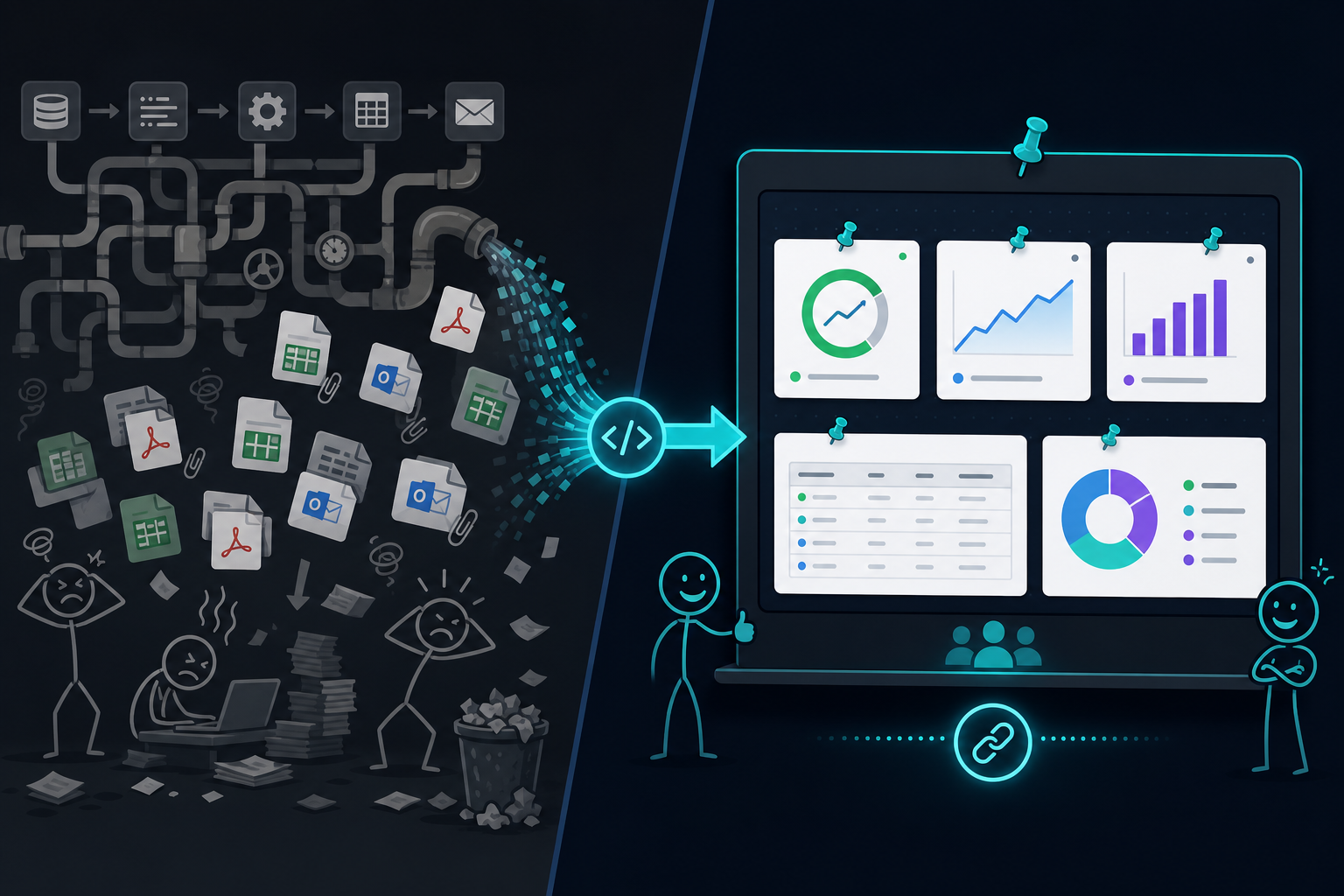
The Friday report nobody trusts
Picture the scene:
- 04:00 — ETL finishes. Numbers are correct.
- 04:15 — Script renders
Weekly_KPIs.pdfandbreakdown.xlsx. - 04:20 — Email blasts to 14 people. Half are asleep.
- 09:30 — Slack: "Which file is current? I only have v3."
- 11:00 — Someone copies a row into their own sheet "just to annotate."
- 14:00 — Leadership presents from a slide deck exported yesterday.
The data was automated. The communication was manual, lossy, and slow. The pipeline did its job; the format betrayed you.
PDFs and Excel are archives—not interfaces
| Format | What it's good for | What it's terrible at |
|---|---|---|
| Legal snapshots, print, sign-off | Live numbers, collaboration, partial sharing | |
| Excel | Personal analysis, one editor | Source of truth for a team, API updates, mobile |
| Email attachment | "Here's a file" | Search, permissions, versioning, linking |
Automated pipelines love PDF/Excel because they are easy to generate and hard to use. They are write-only for most stakeholders: downloaded, maybe opened, rarely trusted as canonical.
Pins are the opposite: built to be read, updated, shared, and wired. A table pin is not a file on a share drive—it is an address your pipeline can PATCH.
What "send to Pindown" looks like
Your job does not change on day one. Extract, transform, load stays where it is. Only the last mile changes:
# Instead of: generate_report.py → S3 → email
curl -X PUT "https://api.pindown.ai/v1/pins/p-WEEKLY_MRR" \
  -H "Authorization: Bearer $PINDOWN_API_KEY" \
  -H "Content-Type: application/json" \
  -d '{
    "pin_config": {
      "cards": [{
        "title": "MRR",
        "value": "$428K",
        "change": "+3.2%",
        "trend": "up"
      }]
    }
  }'
Or push rows into a table pin, series into a chart pin, status into a checklist—whatever matches how humans actually decide.
The ops lead opens the Pinboard they bookmarked weeks ago. The client opens the Pitch link you sent once. Nobody hunts their inbox for Q4_Actuals_FINAL_v3 (1).xlsx.
See the output types
One pipeline run can feed multiple pins—the same way a good report has an executive summary and a detail table:
Product | Pricing motion | AI workspace | Structured output | Sharing | Last verified |
|---|---|---|---|---|---|
Pindown | Workspace plans + credits | App-wide agent, pin-native | Typed pins across formats | Single-pin or board links | May 2026 |
Notion | Free tier + per-seat | AI add-on in docs | Pages & databases | Page or workspace | May 2026 |
Miro | Team seats | Canvas AI features | Visual boards | Board links | Apr 2026 |
Manus | Usage-based | Agent-first tasks | Task deliverables | Session / export | Apr 2026 |
That is not a prettier PDF. It is a live surface your automation owns.
Stack patterns that actually work
| You run… | Old ending | Pindown ending |
|---|---|---|
| n8n / Make | HTTP → write file → Gmail node | HTTP Request → POST https://api.pindown.ai/v1/pins |
| dbt + Python | to_excel() → SharePoint | JSON payload → pin PATCH |
| Airflow / cron | S3 PDF + SNS email | Pin update + optional Slack link to board |
| Mastra / agents | Dump JSON in logs | Workflow pin + stat cards (agent home) |
You are not replacing your warehouse. You are stopping the warehouse from dying in email.
Deep dives: Best dashboard wrapper for n8n, Turn spreadsheet metrics into stat cards.
Why teams feel the difference immediately
One link beats twelve attachments
Share one Pinboard or Pitch tab. Updates land in place. No "see attached" thread archaeology.
Narrative stays next to numbers
The markdown brief explaining why MRR moved sits beside the stat card that moved. PDFs split story and data; pins compose them.
Operators can fix without re-running the world
A human edits a checklist pin or adds a comment in context. The pipeline does not need a redeploy to fix a label—only the value when data changes.
Clients stop asking for "the latest deck"
Self-updating Pitch tabs beat shipping a new PowerPoint export every sprint. Same idea for internal leadership—without the export theater.
The smell test: should this stay a PDF?
Keep PDF/Excel when you need a frozen legal record or an auditor snapshot. Ship pins when:
- the number changes more than once a quarter
- more than three people need the same view
- automation already produces the data
- anyone has said "which version is right?" in the last 90 days
If you checked two boxes, your pipeline is begging for a pin endpoint.
Getting started this week
- Pick one recurring report (weekly KPIs, pipeline funnel, ops digest).
- Create pins for the headline metrics and one detail table in Pindown.
- Replace the email step with a single API call after your job succeeds.
- Send the board link once; let every future run update the pins.
- Delete the "attach spreadsheet" step from the runbook.
Read Sharing without attachment chaos for the sharing story; What makes Pindown different for the workspace model.
Frequently Asked Questions (FAQ)
Do we have to rebuild our entire data stack?
No. Keep dbt, Snowflake, BigQuery, n8n, whatever you have. Change only the delivery step—file/email → pin API.
What if stakeholders insist on Excel?
Export is fine for personal analysis. Do not make Excel the system of record for a team. Pin the canonical table; let power users export a copy if they must.
Is this only for KPIs?
No. Checklists for job status, markdown for narrative, Mermaid for architecture, kanban for workflow—pipelines can PATCH any typed pin.
How is this different from another BI tool?
BI tools excel at query + chart. Pindown excels when story, tasks, client surfaces, and automation must sit together—and when agents or webhooks need a simple write API, not a dashboard project.
What should I read next?
- Sharing without attachment chaos — live links vs inbox hell
- Stop rebuilding the weekly status deck — end Monday export theater
- Agent output shouldn't die in Slack and logs — durable surfaces for runs
- What makes Pindown different — pins vs chat-first AI
- Why Pindown saves time — AI-to-Asset pipeline
- Best n8n dashboard wrapper — webhook → pins
- Pindown Pinboards — monitoring surfaces for ops